
If you've ever scrolled Instagram and seen those animated music videos where the artwork pulses and a waveform moves with the beat — that's a music visualizer. They perform significantly better than static images for new release promotion, and you don't need After Effects or a video editor to make one.
Here's how to do it with TrackVis in under five minutes.
What You Need
- Your track (MP3 or WAV)
- Your album or single artwork (JPG or PNG)
- A browser (no software to install)
Step 1: Upload Your Artwork
Open TrackVis and click Upload image. Drop in your cover art. The editor will show you a live preview immediately — the image fills the canvas and you can adjust how it fits (cover or inset mode).
Step 2: Upload Your Track
Click Upload audio and select your track. TrackVis will analyze the waveform and let you select a 10–20 second clip to use as your preview. Drag the region to find the part of the song with the most energy — usually the chorus or drop.
Step 3: Choose a Starter Design
Pick a template from the Styles panel on the right. Each template sets the waveform style, text layout, motion type, and color palette. You can customize everything after choosing — the template is just a starting point.
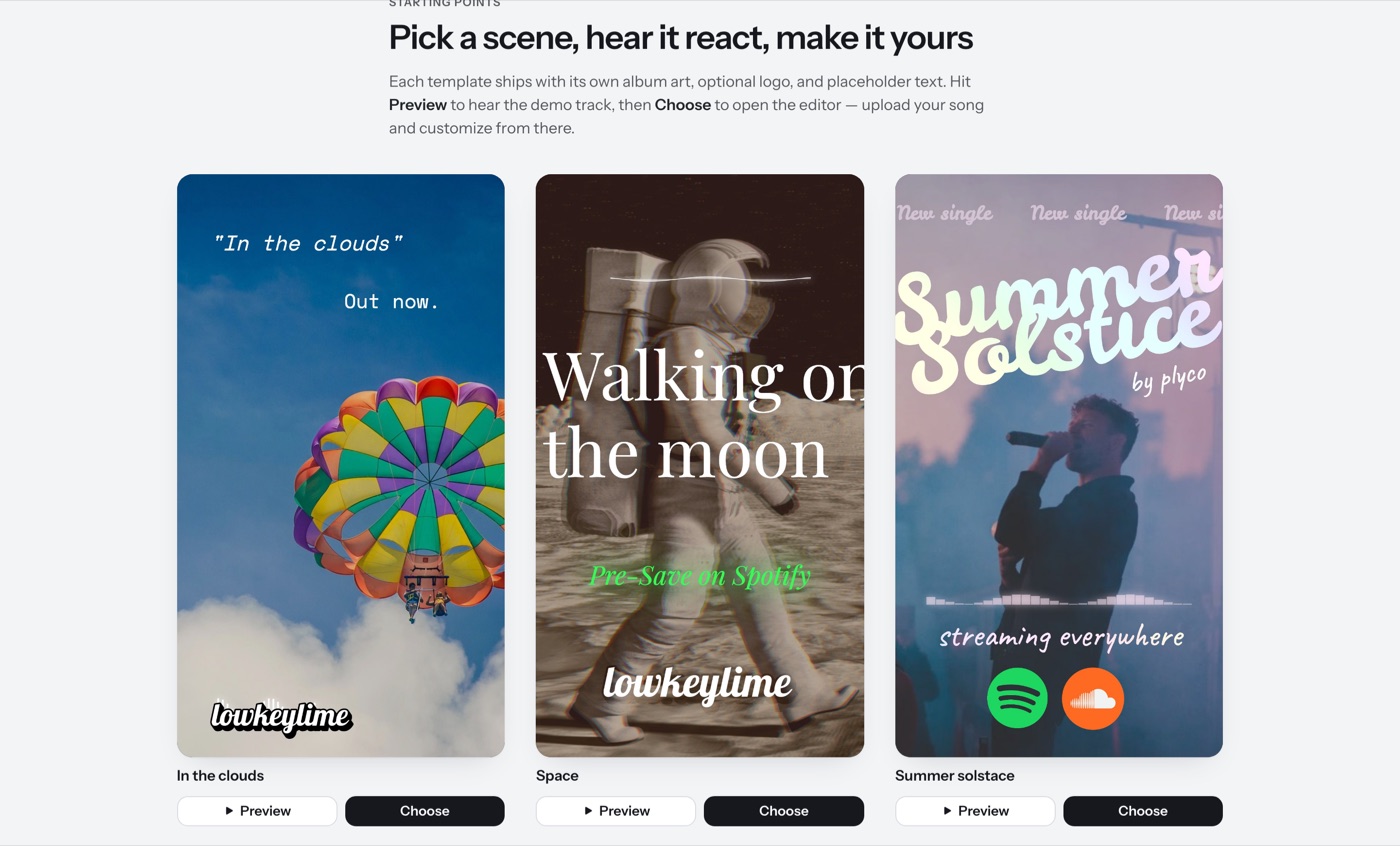
For Instagram Reels, the 9:16 vertical format is what you want. Select it from the format controls at the top.
Step 4: Add Your Text
Click any text layer to edit it. Add your artist name, song title, or release date. Drag it to position it anywhere on the canvas. You can change the font, size, color, and add subtle animations like fade-in or type-on effects.
Step 5: Export
Hit Export and TrackVis records the canvas as a video, then converts it to an MP4 optimized for social. The whole process takes about 30 seconds. Download it and you're ready to post — see what to actually post once you have it.
Tips for Better Performance
Pick high-energy moments. The waveform reacts to the audio in real time. A busy section of the track — a chorus, a build, a drop — looks more dynamic than a quiet intro.
Keep text minimal. One or two lines max. Artist name and song title is the classic formula. More text makes it harder to read on a small phone screen.
Match the mood. If you're releasing something melancholy and lo-fi, a dark background with a subtle waveform feels right. An energetic club track can handle more motion and brighter colors.
Post at the right size. Instagram Reels performs best at 1080×1920 (9:16). TrackVis exports at this size by default when you select vertical format.
Frequently Asked Questions
Do I need video editing software to make a music visualizer?
No. TrackVis runs entirely in the browser — you upload your track and artwork and export a finished MP4 without touching a timeline, keyframes, or any editing software.
What's the ideal length for an Instagram Reels visualizer?
10 to 20 seconds is enough for the preview clip TrackVis exports, focused on the highest-energy part of the track, like the chorus or a drop.
What file formats does TrackVis accept?
MP3 or WAV for your audio track, and JPG or PNG for your cover artwork.